
Adding A File To A Zip File In C# & .NET
[C#, .NET, Compression]
In a previous post, How To Compress Multiple Files Using GZip In C# & .NET, we looked at how to add multiple files to a Zip file.
In this post, we will look at how to add a file to an existing Zip file.
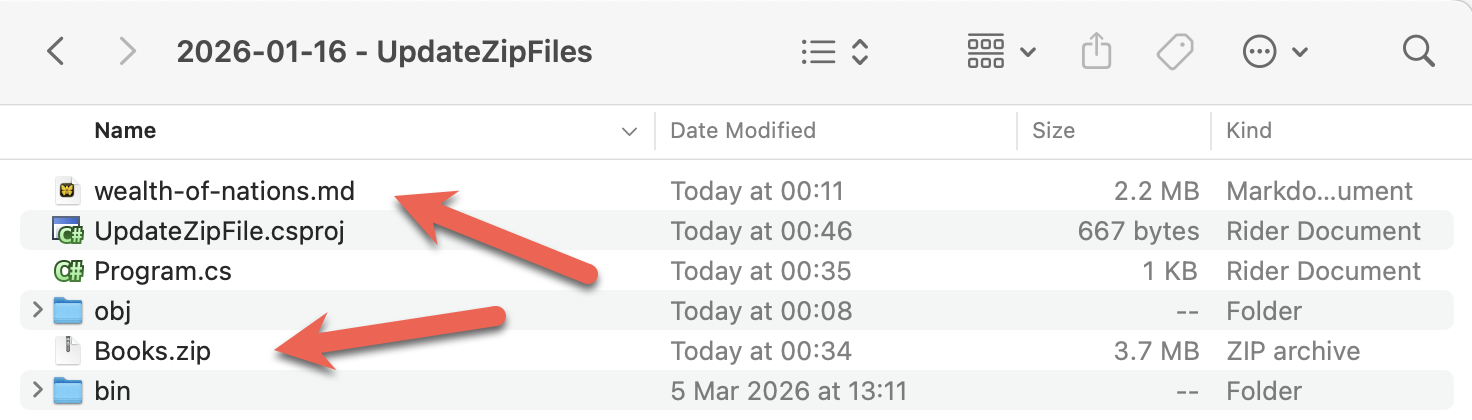
We will use the Books.zip file we generated in the previous post, and add a new file, wealth-of-nations.md by Adam Smith, to our project.
This is the file we want to add to the zip file.
Our project folder will look like this:
To ensure the file wealth-of-nations.md as well as the Zip file are copied to the build folder, we update our .csproj by adding a new element as follows:
<ItemGroup>
  <None Include="wealth-of-nations.md">
  	<CopyToOutputDirectory>PreserveNewest</CopyToOutputDirectory>
  </None>
  <None Include="Books\**\*">
  	<CopyToOutputDirectory>PreserveNewest</CopyToOutputDirectory>
  </None>
</ItemGroup>
Our code to add the file will be as follows:
using System.IO.Compression;
using System.Reflection;
using Serilog;

Log.Logger = new LoggerConfiguration()
    .WriteTo.Console().CreateLogger();

// Extract the current folder where the executable is running
var currentFolder = Path.GetDirectoryName(Assembly.GetExecutingAssembly().Location)!;

// Construct the full path to the zip file
var targetZipFile = Path.Combine(currentFolder, "Books.zip");

// Set the filename
const string fileName = "wealth-of-nations.md";

// Construct the full path to the file to add
var fileToAdd = Path.Combine(currentFolder, fileName);

// Open the zip file on disk for update
await using (var archive = ZipFile.Open(targetZipFile, ZipArchiveMode.Update))
{
    // Ensure the file does not already exist. Return if it does
    if (archive.GetEntry(fileToAdd) != null)
    {
        Log.Warning("The file {File} already exists in the zip file", fileToAdd);
        return;
    }

    // Add the file to the archive
    archive.CreateEntryFromFile(fileToAdd, fileName, CompressionLevel.Optimal);
}

Log.Information("Updated {TargetZipFile}", targetZipFile);
The heavy lifting is done by the CreateEntryFromFile method of an extension of the ZipArchive class.
If we run this program, we should see the following.

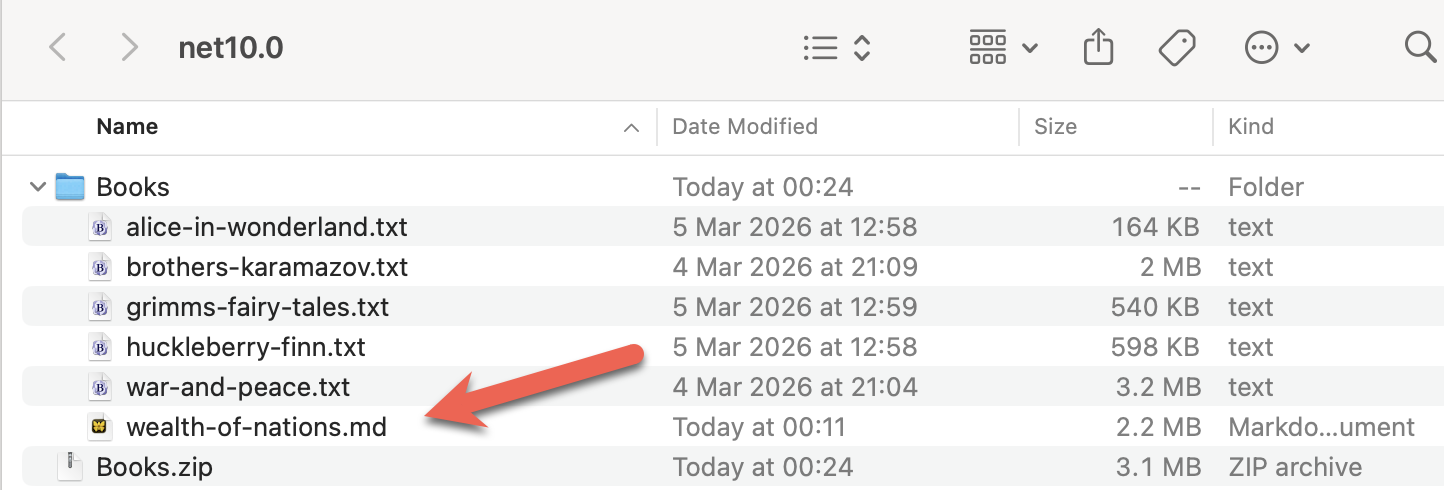
If we extract the contents of the Zip file, we should see our book within.
If we run the program again, it will terminate early, as the file already exists now.

TLDR
The CreateEntryFromFile extension method of the ZipArchive class allows adding a file to a Zip archive.
The code is in my GitHub.
Happy hacking!