
Opening Password-Protected Zip Files in C# & .NET
[C#, .NET, Compression]
We have covered how to extract files from a Zip file in two prior posts, How To UnZip A Single File In C# & .NET and How To UnZip Multiple Files In C# & .NET.
Occasionally, you will find situations where the Zip file is protected by a password.
Unfortunately, the classes in System.IO.Compression cannot handle this type of Zip file at all.
We therefore have to use another library for this purpose - SharpZipLib.
We start by adding the package to our project using Nuget.
dotnet add package SharpZipLib
For this sample, we will use a Zip file I earlier prepared that is password-protected.
The project folder structure is as follows:
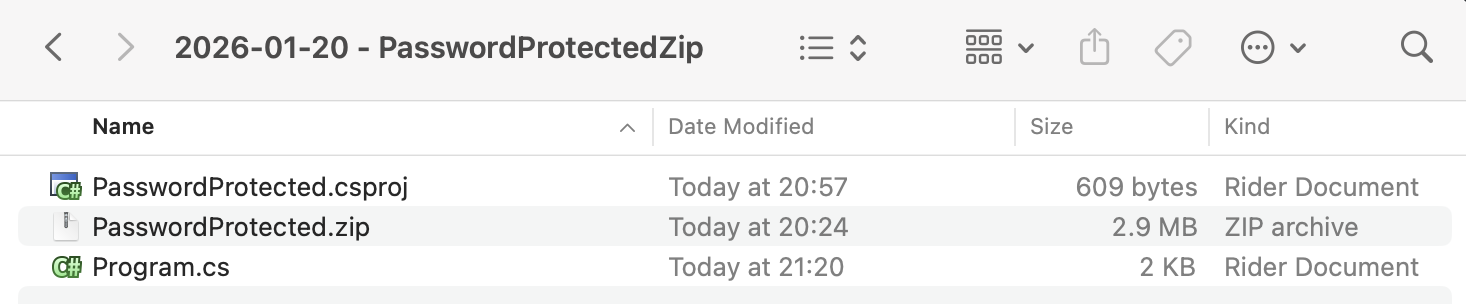
As usual, to ensure the Zip file is copied, we add the following entry to the .csproj.
<ItemGroup>
  <None Include="PasswordProtected.zip">
  	<CopyToOutputDirectory>PreserveNewest</CopyToOutputDirectory>
  </None>
</ItemGroup>
The code to extract the files is as follows:
using System.IO;
using System.Reflection;
using ICSharpCode.SharpZipLib.Zip;
using Serilog;

Log.Logger = new LoggerConfiguration()
    .WriteTo.Console().CreateLogger();

// Extract the current folder where the executable is running
var currentFolder = Path.GetDirectoryName(Assembly.GetExecutingAssembly().Location)!;

// Set the folder for outputting the files

var outputFolder = Path.Combine(currentFolder, "Extracted");

// Construct the full path to the zip file
var zipFile = Path.Combine(currentFolder, "PasswordProtected.zip");

// Set the password (typically this would come from the user)
const string password = "A$tr0nGpA$$w)rD";

// Get a stream to the zip file
await using (var fs = File.OpenRead(zipFile))
{
    // Open the zip file
    using (var zippedFile = new ZipFile(fs))
    {
        // Set the zip file password
        zippedFile.Password = password;

        // Loop through each entry and extract
        foreach (ZipEntry entry in zippedFile)
        {
            // Skip directories & non-files
            if (!entry.IsFile) continue;

            // Get a stream to the file
            await using (var zipStream = zippedFile.GetInputStream(entry))
            {
                // Combine the paths of where we want the file to go and what the file path currently is
                string completeFilePath = Path.GetFullPath(Path.Combine(outputFolder, entry.Name));

                // Ensure the path is valid
                if (!completeFilePath.StartsWith(Path.GetFullPath(outputFolder)))
                {
                    Log.Error("Invalid file path {Path}", completeFilePath);
                    return;
                }

                // Ensure directory exists
                string directory = Path.GetDirectoryName(completeFilePath)!;
                Directory.CreateDirectory(directory);

                // Create a filestream for writing
                await using (var output = File.Create(completeFilePath))
                {
                    // Write to disk
                    await zipStream.CopyToAsync(output);
                    Log.Information("Extracted {File}", completeFilePath);
                }
            }
        }
    }
}
The key bits of this code are:
- Opening the file
- Setting the password
- Iterating over each
ZipEntryin the file - Extracting the file to a constructed path
If we run this program, we should see the following output:

TLDR
You can open password-protected Zip files using the SharpZipLib library.
The code is in my GitHub.
Happy hacking!