A Better ping - gping
[Tools]
One of the command-line tools you will undoubtedly have in your toolbox is the veritable ping command.
This is what you would reach for if you wanted to check one (or more) of the following:
- Whether you are online
- Whether a remote address is online
- The latency of the remote address
You would typically use it like this:
ping google.com
And you would get a result like this:
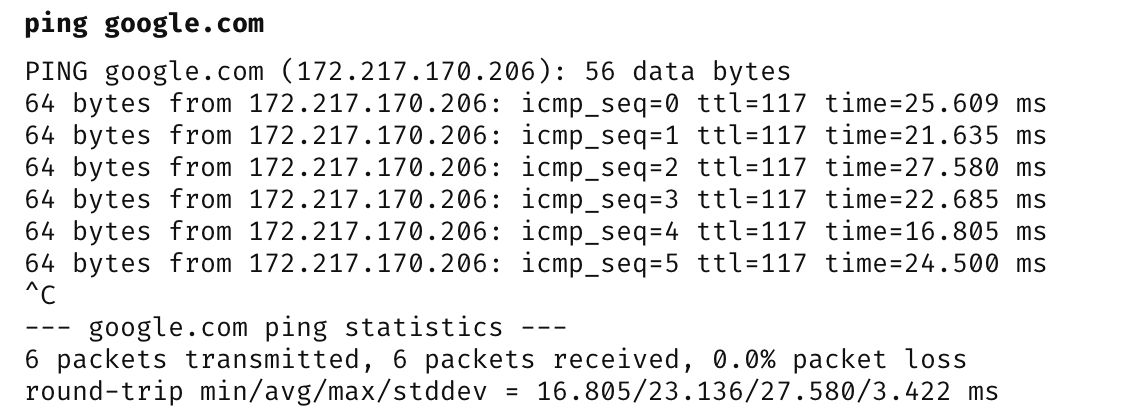
I recently discovered an even better implementation - gping - ping, but with graphs.
It works the same way:
gping google.com
The results, however, are much easier to visualize and interpret.
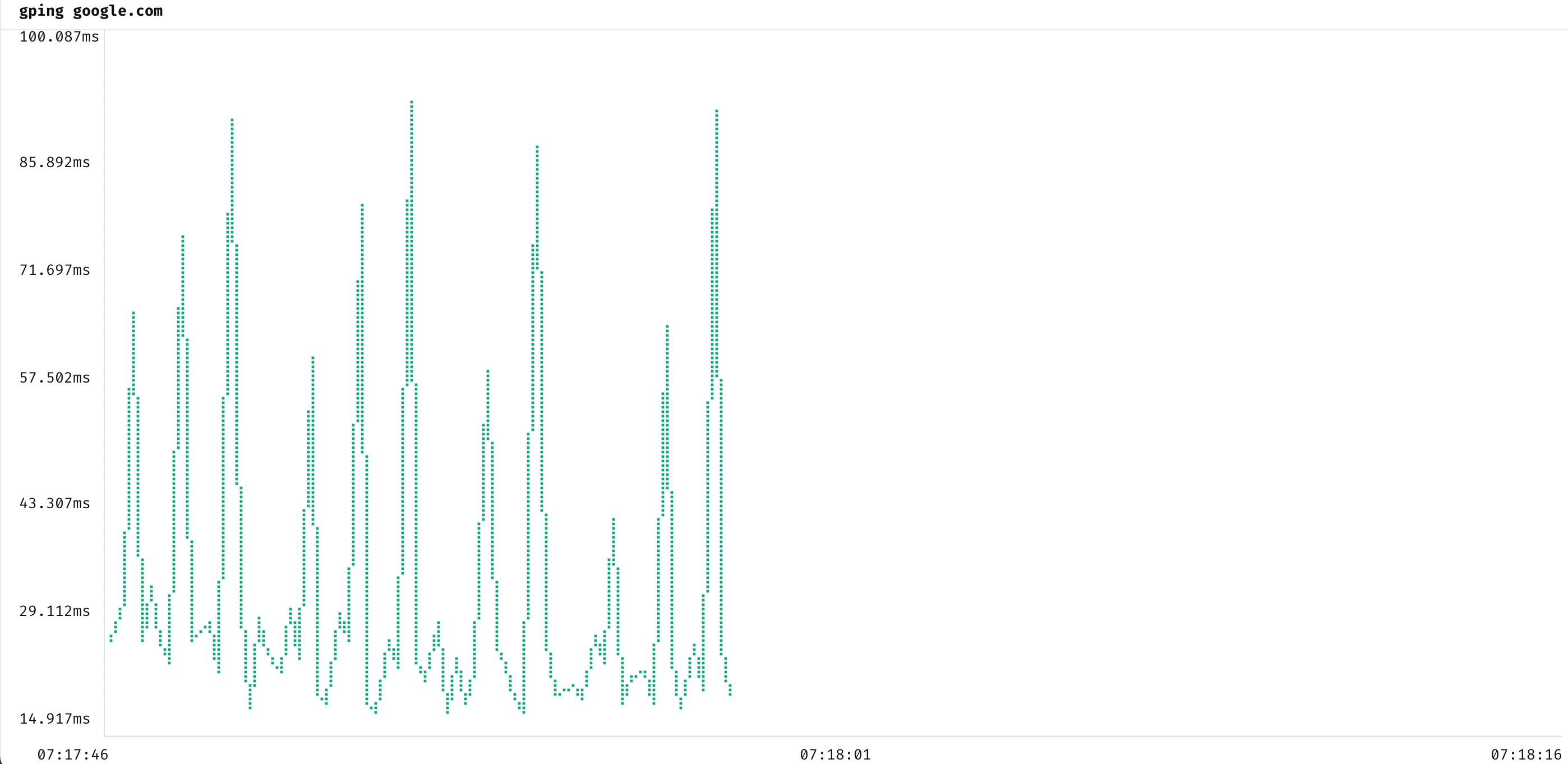
Here we get back a graph that lets you visualize latency over time.
It is also useful when you want to compare multiple addresses.
Take this example,
We can ping them together as follows:
gping google.com yahoo.com conradakunga.com
The results would be as follows:
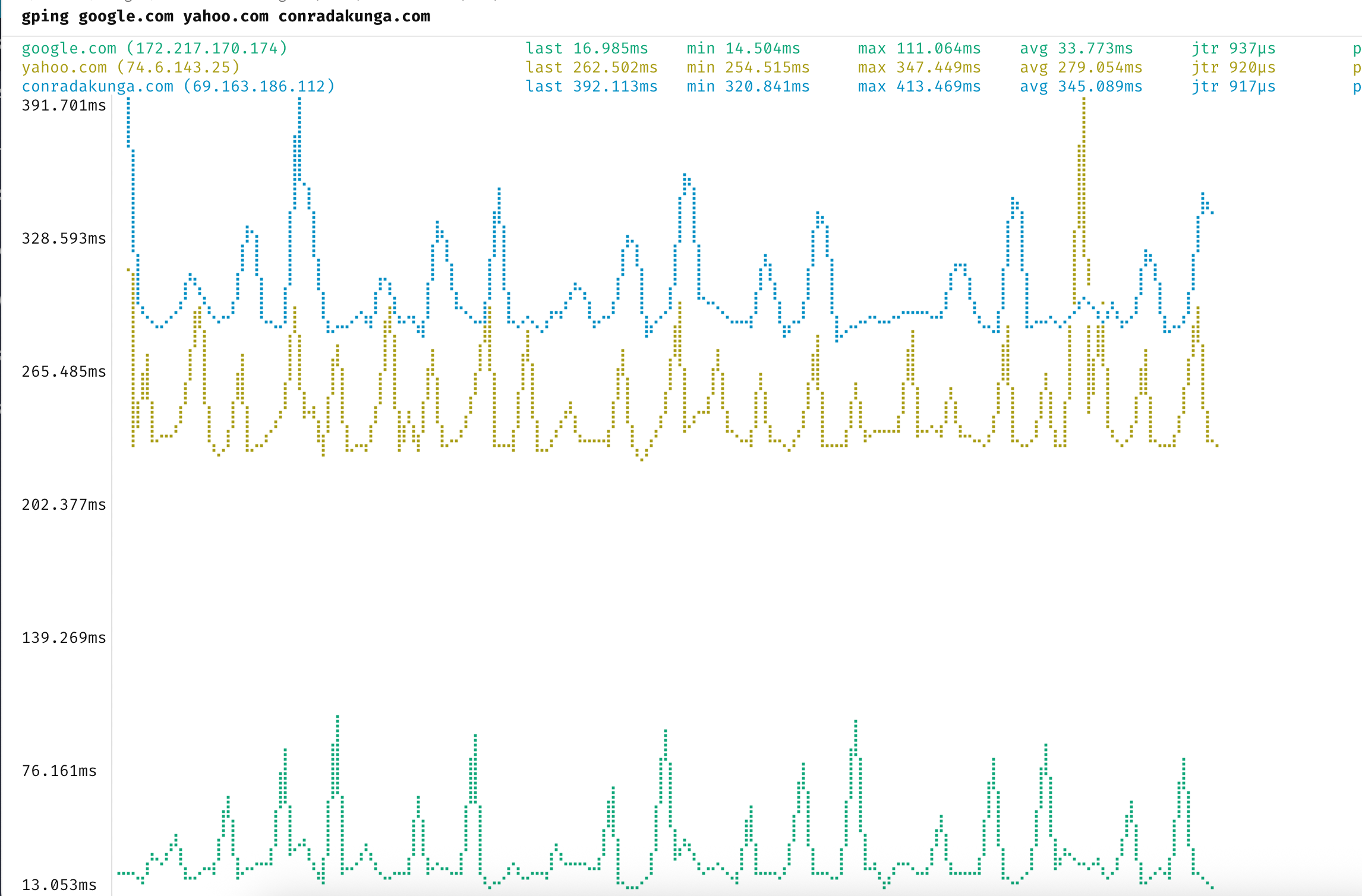
Here we can see all the ping results returned, rendered as multiple, color-coded graphs.
We can see here that Google is significantly faster than the other two, but this is almost certainly because Google has a local edge presence and peers with my ISP.
TLDR
Gping is a better ping.
Happy hacking!