.NET 11 Preview - Character Equality Comparison
[C#, .NET, .NET 11 Preview]
One of the problems you will invariably run into is correctly comparing characters.
Quick, are these equivalent?
I and i
As with all things, the answer is “it depends”!
However, in .NET 10 and earlier, you don’t have much choice when you use the Equals method to compare.
Console.WriteLine('i'.Equals('I'));
This takes only one parameter: the char to compare to. And therefore our example here will always return false.
Luckily, there are ways to perform this comparison and still tell your code how to compare, but you have to convert the char to a string first, then specify how to compare.
Console.WriteLine(string.Equals('i'.ToString(), 'I'.ToString(), StringComparison.CurrentCultureIgnoreCase));
In .NET 11, this extra step has been removed, and the char Equals method now has an overload that allows you to specify the comparison.
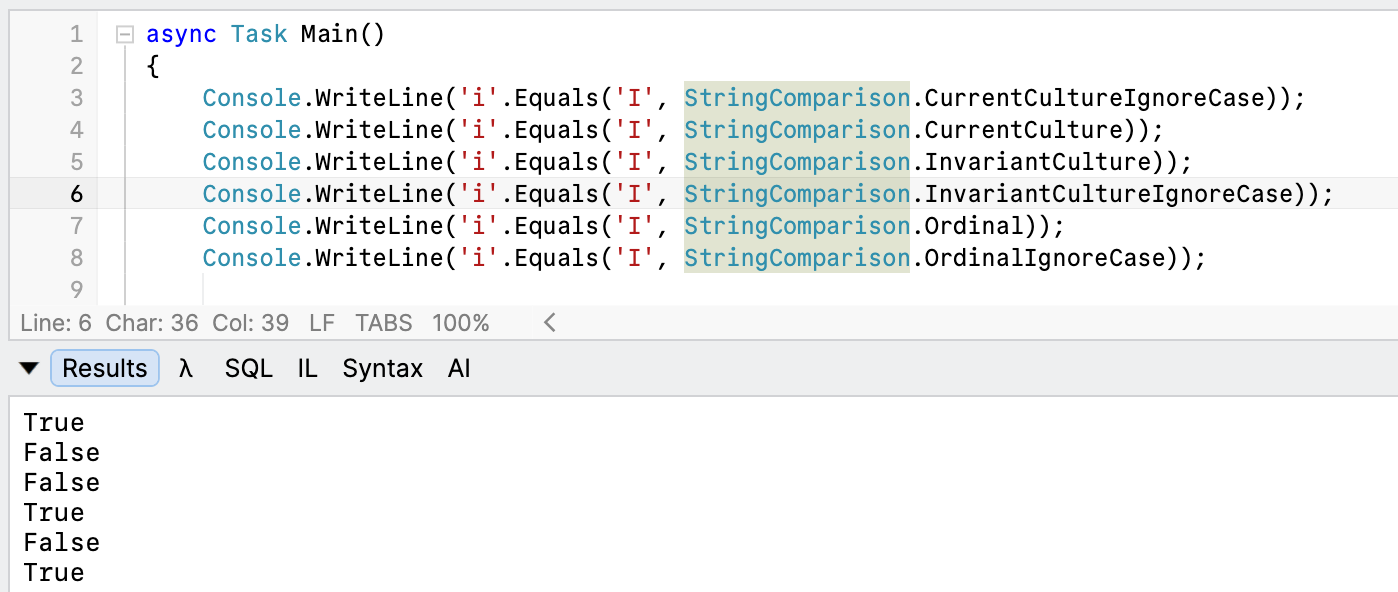
Console.WriteLine('i'.Equals('I', StringComparison.CurrentCultureIgnoreCase));
Console.WriteLine('i'.Equals('I', StringComparison.CurrentCulture));
Console.WriteLine('i'.Equals('I', StringComparison.InvariantCulture));
Console.WriteLine('i'.Equals('I', StringComparison.InvariantCultureIgnoreCase));
Console.WriteLine('i'.Equals('I', StringComparison.Ordinal));
Console.WriteLine('i'.Equals('I', StringComparison.OrdinalIgnoreCase));
This will print the following:
TLDR
Char.Equals now has an overload that allows you to specify how to compare.
The code is in my GitHub.
Happy hacking!