.NET 11 Preview - Enabling Zstandard Compression in Kestrel
[C#, .NET, .NET 11 Preview, ASP.NET, Compression]
In a previous post, “.NET 11 Preview - Zstandard Compression”, we looked at the introduction of Zstandard compression algorithm in .NET 11.
In this post, we will look at how to enable Zstandard HTTP compression in ASP.NET web applications and API projects.
The good news is that you don’t have to do much - simply turn it on as follows:
var builder = WebApplication.CreateBuilder(args);
// Register the response compression services
builder.Services.AddResponseCompression();
var app = builder.Build();
// Turn on the middleware
app.UseResponseCompression();
// Register a route
app.MapGet("/Hello", () => "The quick brown fox jumped over the lazy dog");
// Start the application
app.Run();
The magic is in these lines:
builder.Services.AddResponseCompression();
Here, we are configuring our services to inject compression.
app.UseResponseCompression();
Here, we instruct our web application to use the compression middleware.
We then start our application:
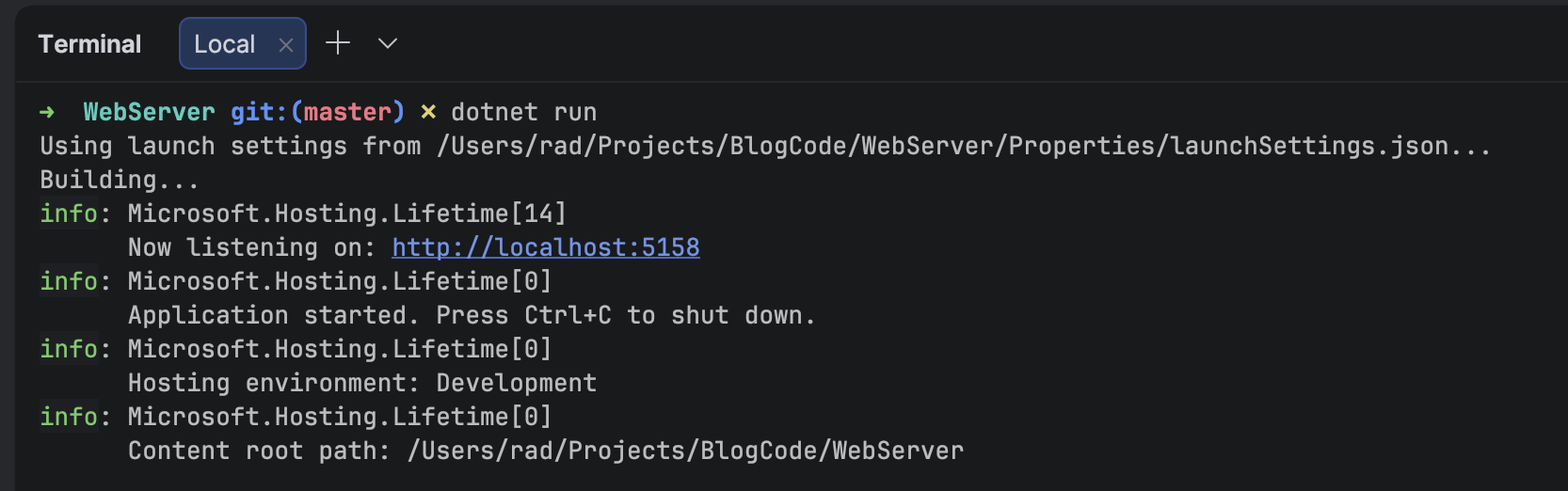
Then, using your favorite tool, make a request.
My tool of choice is Yaak.
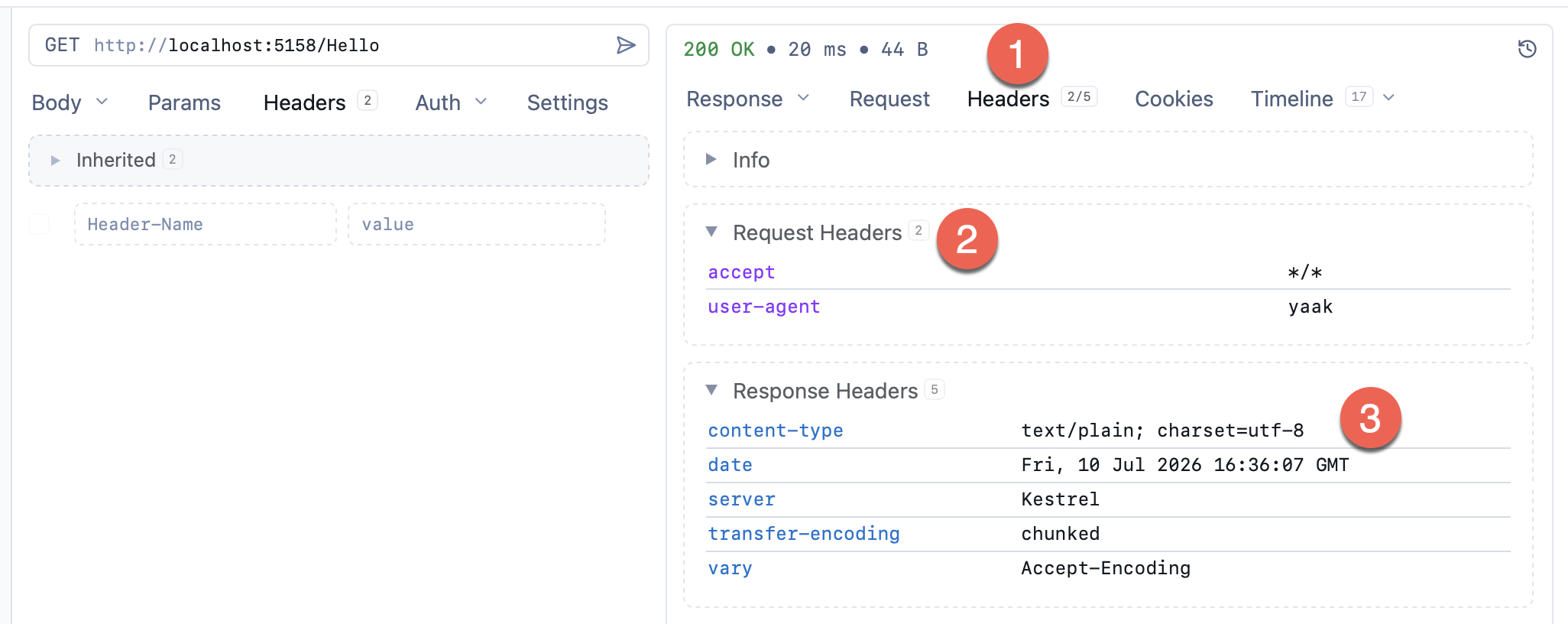
A couple of things to note here from Yaak
- The Headers section allows you to view your headers (request and response)
- These are the request headers
- These are the response headers
Note that here, there is no content-encoding header, indicating that no compression has been used at all.
The client needs to request this.
This is done via the accept-encoding header, specifying at least one compression type.
To request Zstandard compression, specify zstd in the header.
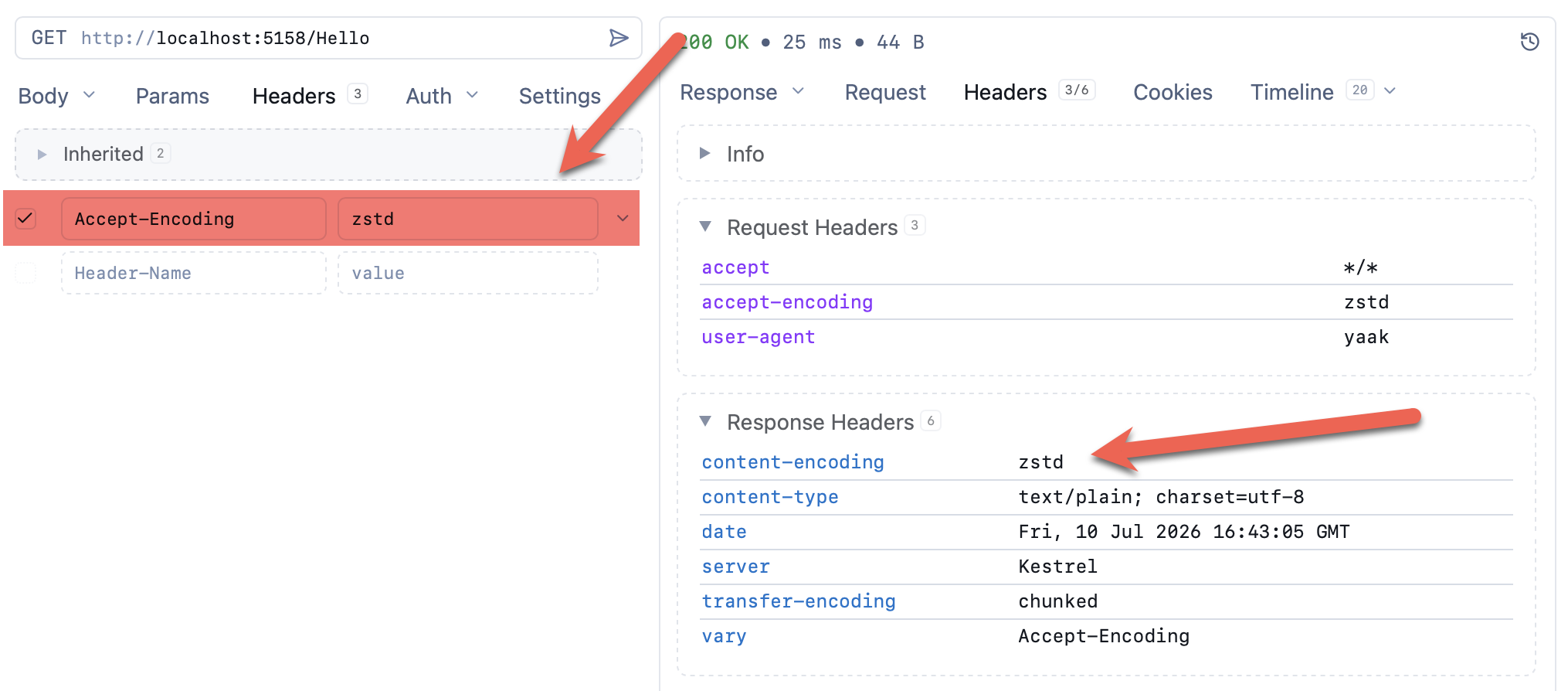
Here you can see the server responded with a content-encoding header, indicating the compression it used.
If you specify something that it does not understand, this header will not be returned at all, and your content will be returned uncompressed.
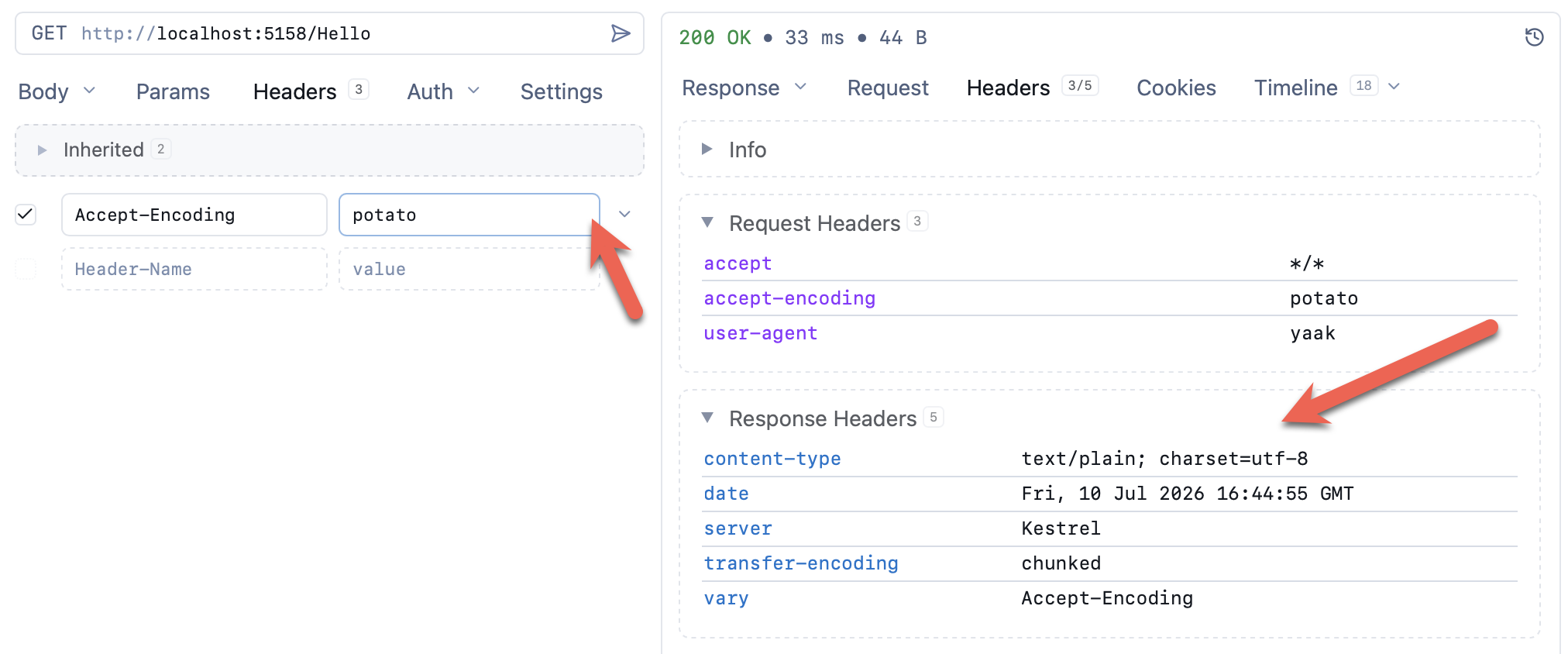
The allowed values (at least for Kestrel) are as follows:
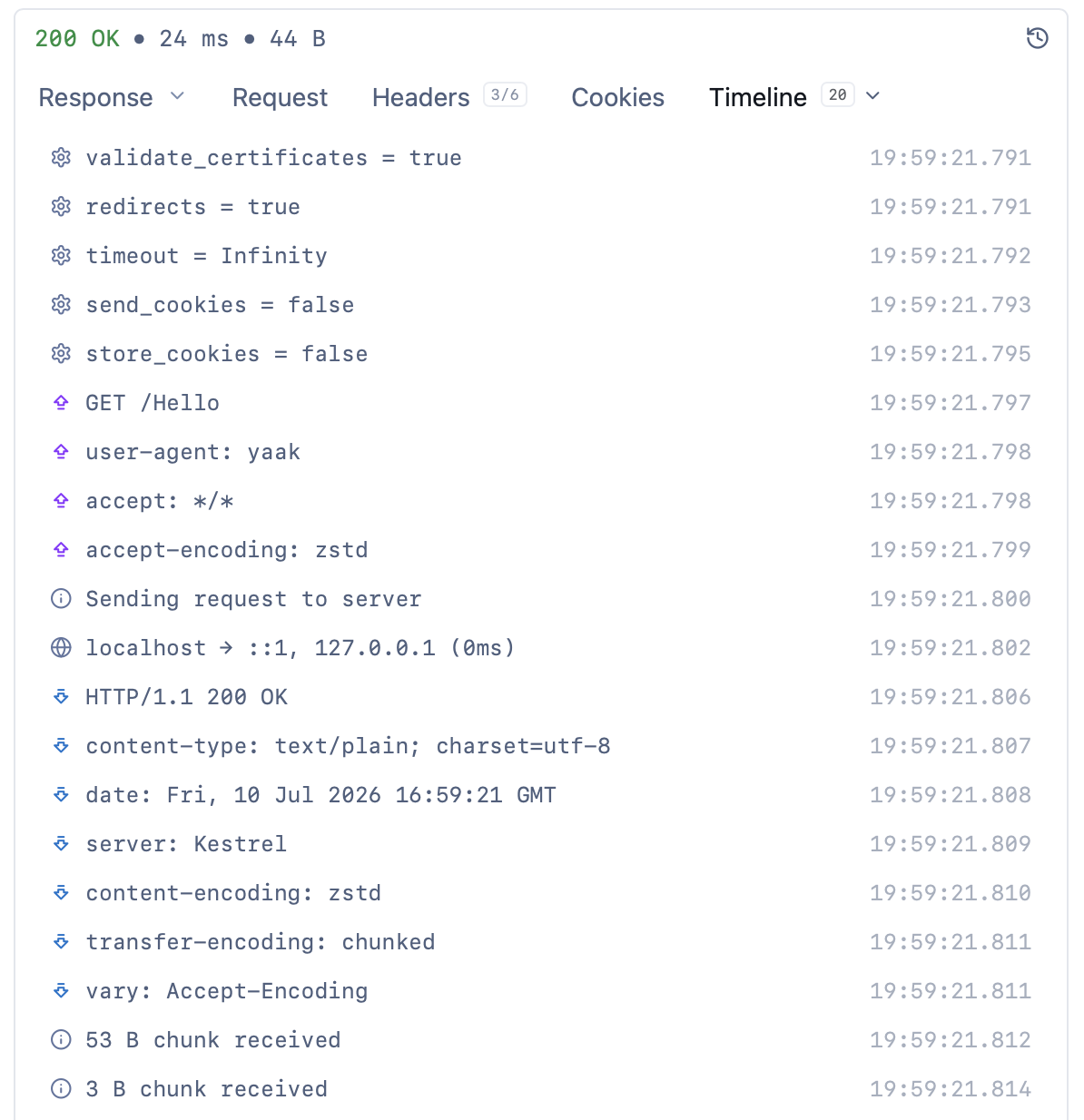
Yaak also has a timeline view to view all your traffic in one place.
TLDR
.NET 11 supports Zstandard HTTP compression out of the box. You just need to turn it on.
The code is in my GitHub.
Happy hacking!