.NET 11 Preview - Opening Password-Protected Zip Archives - Incorrect Password Handling
[C#, .NET, .NET 11 Preview, Compression]
In our previous post, “.NET 11 Preview - Opening Password Protected Zip Archives”, we looked at how to open password-protected zip archives, which is now natively possible on .NET 11.
However, we did not look at what happens if you provide an invalid password.
We shall do so in this post.
Let us adapt the code from the previous post to provide an invalid password and see what happens when we run the code:
using System.IO.Compression;
using System.Reflection;
using Serilog;

// Setup logging
Log.Logger = new LoggerConfiguration()
    .WriteTo.Console()
    .CreateLogger();

// Get the source zip
const string SourceZipFile = "WarAndPeace.zip";

// Set up the location of the target zip file
string targetFile =
    Path.Combine(Path.GetDirectoryName(Assembly.GetExecutingAssembly().Location)!, "WarAndPeace.txt");

// Set up the zip file password. This password is wrong
const string ZipFilePassword = "A_WRONG_PASSWORD";

// Open the archive
await using (var archive = await ZipFile.OpenReadAsync(SourceZipFile))
{
    // Loop through the entries
    foreach (var entry in archive.Entries)
    {
        Log.Information("Found {Entry}", entry.FullName);

        // Configure extraction options
        var options = new ZipExtractionOptions
        {
            Password = ZipFilePassword.AsMemory(),
        };

        // Extract file
        await entry.ExtractToFileAsync(targetFile, options, CancellationToken.None);

        Log.Information("Successfully extracted {Entry}", entry.FullName);
    }
}
If we run this, we get the following:
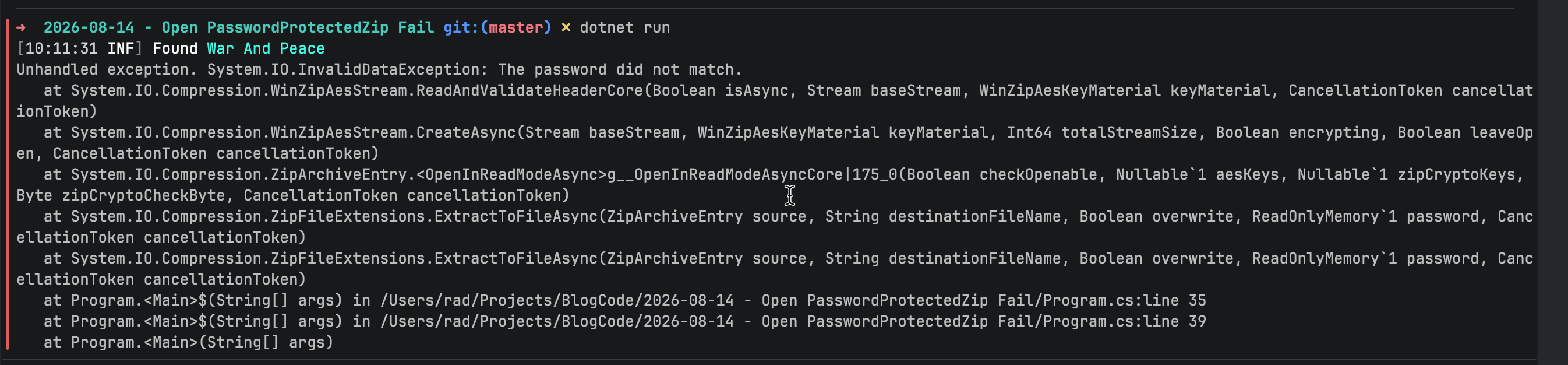
Here, we have gotten an InvalidDataException indicating that the password did not match.
We can catch this in our code:
using System.IO.Compression;
using System.Reflection;
using Serilog;

// Setup logging
Log.Logger = new LoggerConfiguration()
    .WriteTo.Console()
    .CreateLogger();

// Get the source zip
const string SourceZipFile = "WarAndPeace.zip";

// Set up the location of the target zip file
string targetFile =
    Path.Combine(Path.GetDirectoryName(Assembly.GetExecutingAssembly().Location)!, "WarAndPeace.txt");

// Set up the zip file password. This password is wrong
const string ZipFilePassword = "A_WRONG_PASSWORD";

// Open the archive
await using (var archive = await ZipFile.OpenReadAsync(SourceZipFile))
{
    // Loop through the entries
    foreach (var entry in archive.Entries)
    {
        Log.Information("Found {Entry}", entry.FullName);

        // Configure extraction options
        var options = new ZipExtractionOptions
        {
            Password = ZipFilePassword.AsMemory(),
        };

        // Extract file
        try
        {
            await entry.ExtractToFileAsync(targetFile, options, CancellationToken.None);
            Log.Information("Successfully extracted {Entry}", entry.FullName);
        }
        catch (InvalidDataException ide)
        {
            Log.Error(ide, "Error extracting {Entry}", entry.FullName);
        }
        catch (Exception ex)
        {
            Log.Error(ex, "General error extracting archive");
        }
    }
}
Here we are doing the following:
- First, we check whether the
exceptionis related to the file extraction, checking if it is anInvalidDataException - We then trap any other
exception, such as a full disk, or other such.
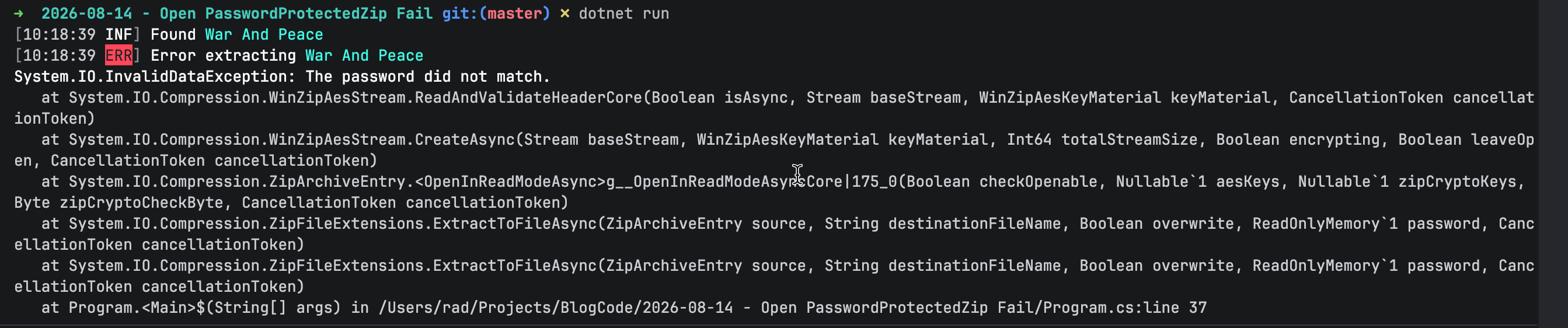
This will yield the following:
TLDR
If, while opening a zip file, the password is incorrect, trap the InvalidDataException.
The code is in my GitHub.
Happy hacking!